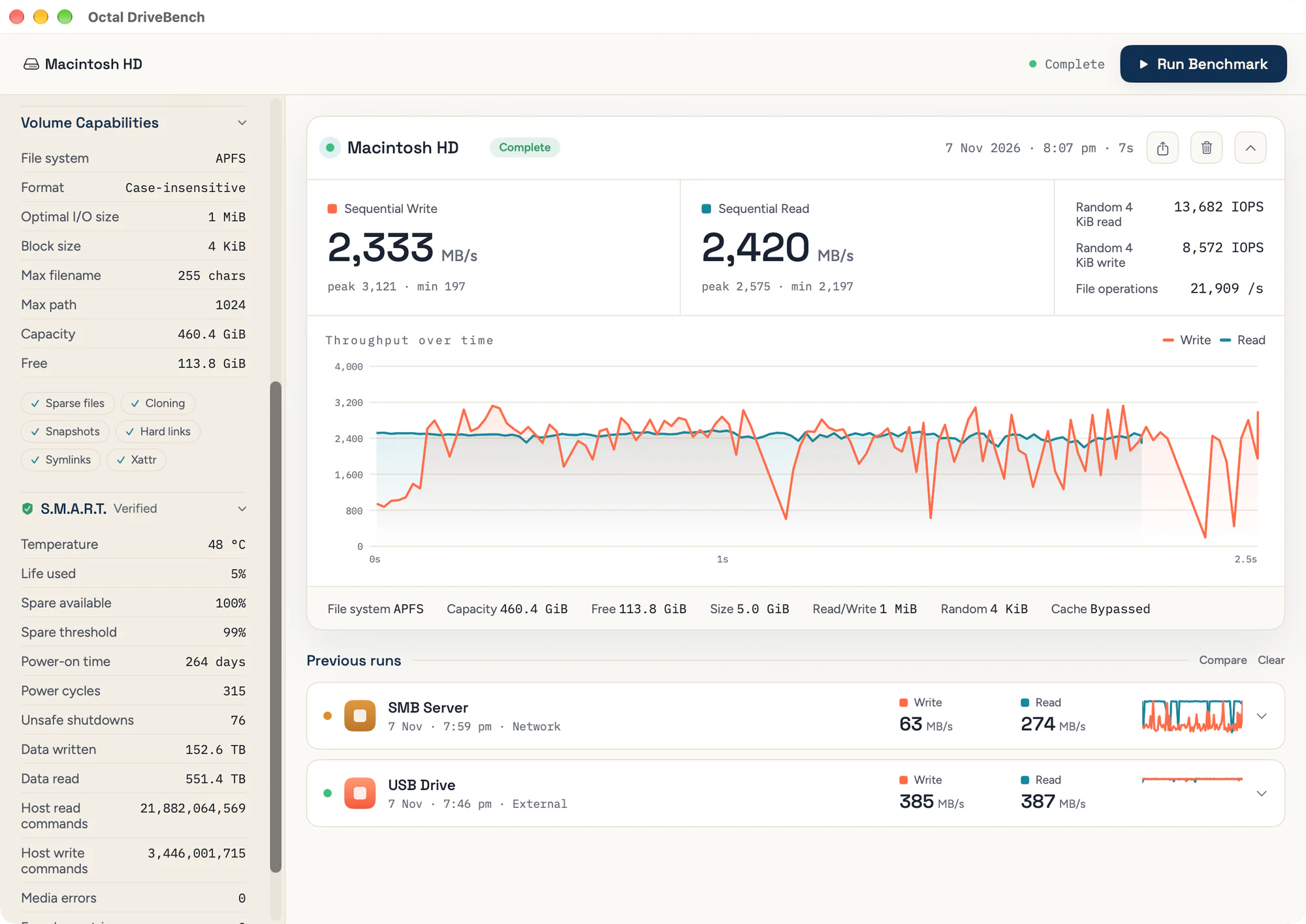
A disk speed test and volume analyzer for macOS. It measures how fast a drive is once its cache runs out, not just the first burst, keeps every run, and puts drives side by side. Free, and a separate download from Octal.
Beta · Free · macOS 14 Sonoma or later · Apple silicon and Intel
The sustained speed, measured once the drive's cache has filled, with the peak and the slowest moment beside it. Fill disk writes until the drive is nearly full, which shows where the cache runs out and can catch a drive that reports more capacity than it has.
Random 4K reads and writes in IOPS: the small, scattered access that apps and the system generate most of the time.
Creating, looking up, renaming and deleting thousands of small files, reported as operations per second.
Internal and external drives, and network shares mounted over SMB, NFS, AFP or WebDAV.
Reads and writes bypass the macOS file cache, so they go to the drive rather than to memory, and a write only counts as finished once the drive confirms it's stored. Turn the bypass off to see what apps get with caching in the way.
The test data goes in a hidden folder on the drive and is removed when the test ends, including when you stop it.
Choose two or more runs and see them side by side: two drives, or one drive before and after. The settings each run used are listed under the chart.
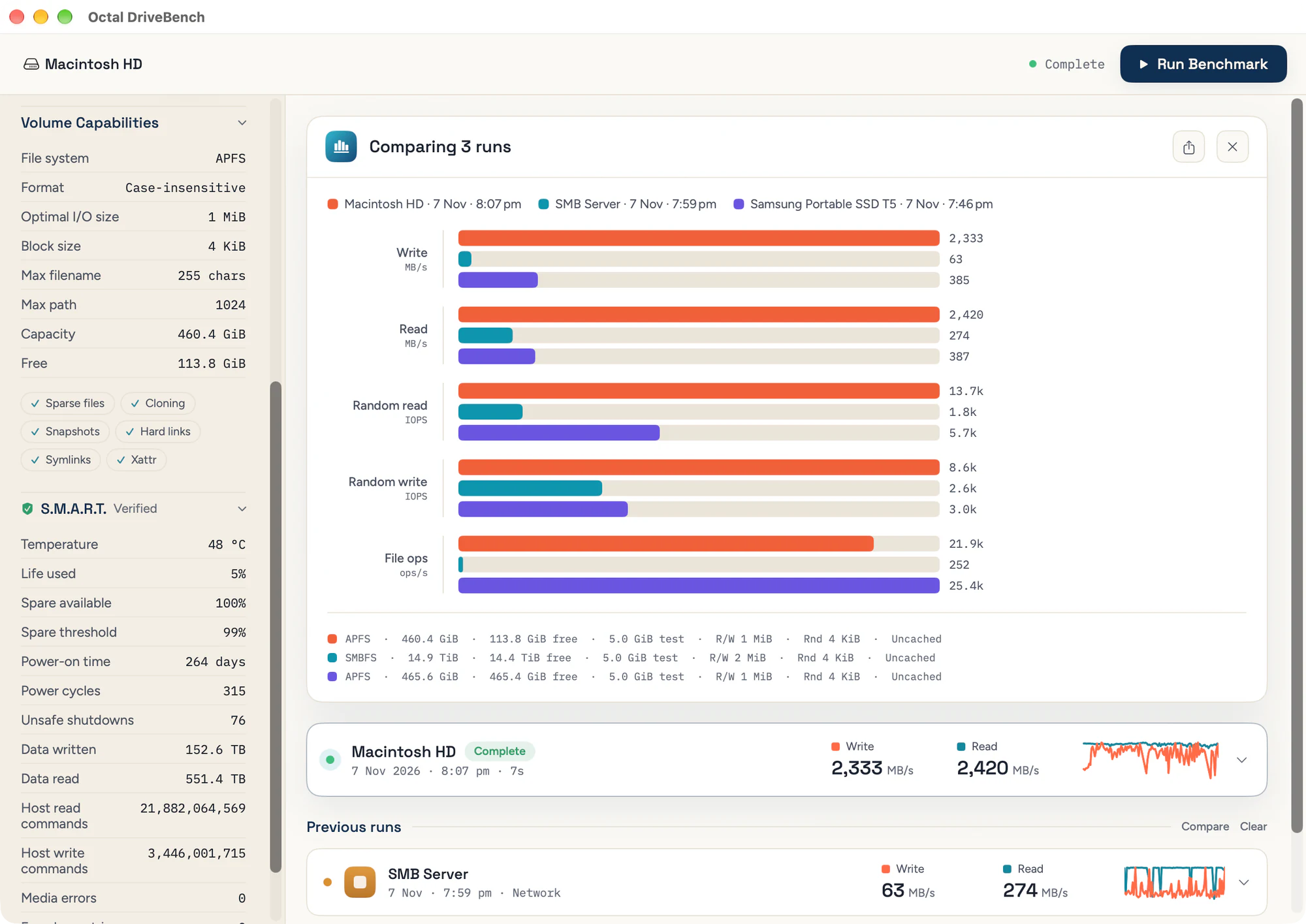
Every run is kept with its chart, its settings and the volume's details at the time.
An image of any run, with a QR code back to this page. External drives appear by model and network shares as “SMB Server”, not by your volume name or path, unless you give the report a title of your own.
S.M.A.R.T. for the selected drive: a verified or failing verdict, temperature, life used, spare capacity, power-on time, data read and written, and error counts. Save the figures as a text file with Export…
Give a report a title of your own. It replaces the drive's name on screen, in comparisons and on images you share.
File system, case sensitivity, preferred I/O and block size, name and path limits, and support for sparse files, cloning, snapshots, hard links, symlinks and extended attributes.
Octal runs the same tests from Test Drive Speed… in its Activity panel. Open in DriveBench brings the result over, to keep and compare.
Follows your Mac's light or dark appearance, and report images match it.
Signed with Apple's Developer ID, notarized by Apple, with auto-updates.
DriveBench has no paid tiers or license keys, and nothing is locked. If you find it useful, you can support its development on Ko-fi.